Pokémon
Lab setup
First, make sure you have completed the initial setup.
-
Open Terminal. Run the update command to make sure you have the latest code.
$ mwc update -
Move to this lab's directory.
$ cd ~/Desktop/making_with_code/mwc1/unit2/lab_pokemon
So far in this course, you have written all your Python programs in *.py files. This lab introduces a new
environment for writing Python, Jupyter notebooks. A notebook runs in a browser, and includes snippets of Python
code, along with text and images. This is an especially convenient format for data science, where you often
want to build an argument or tell a story using data, while showing your work. When you share a Jupyter notebook, the reader can re-run all the code to see the results for themselves.
💻
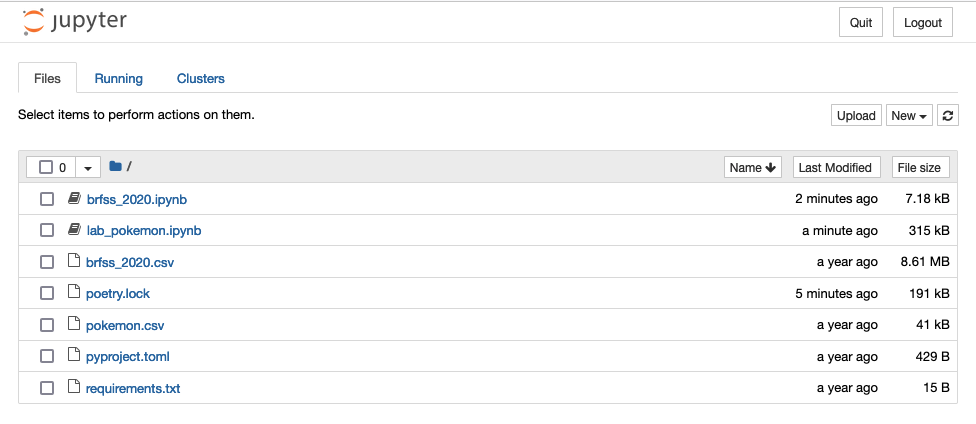
Open Jupyter notebook inside of your repository by typing the following in your terminal: jupyter lab. You should see a web browser window open with a listing of all the files in your lab directory. You may need to click on the link that is generated in terminal to open the browser.:
💻
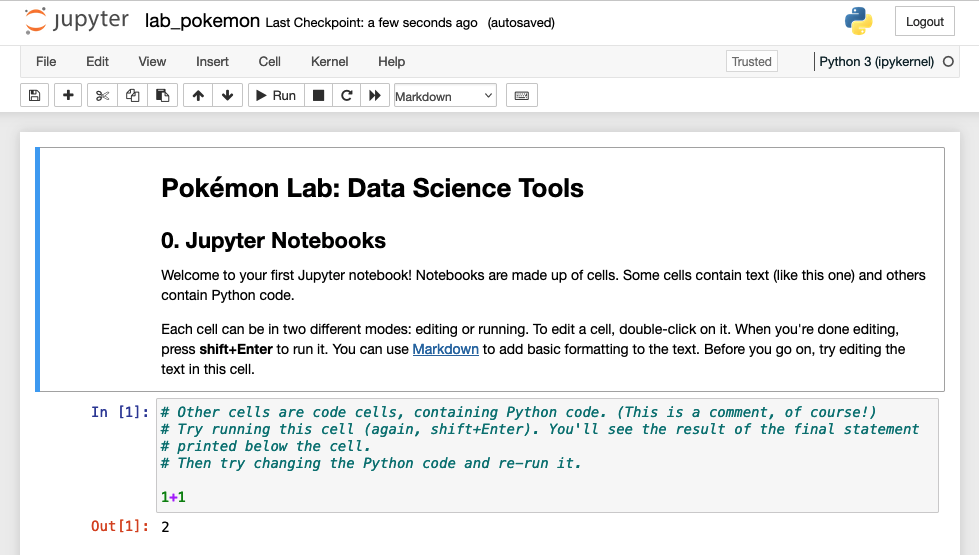
Click on lab_pokemon.ipynb. The Pokémon lab will open in a new tab:
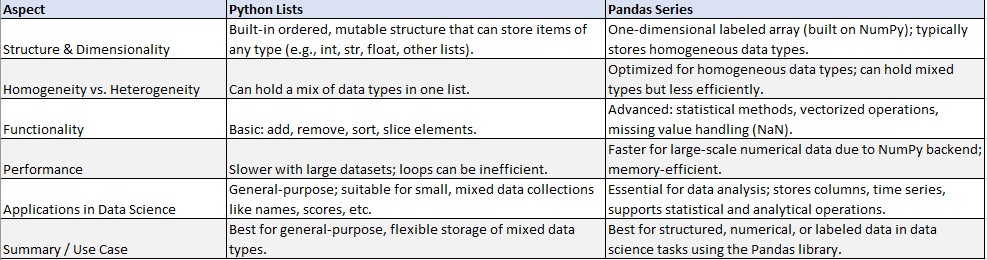
A series may sound similar to the lists we've worked with already. However, here is a quick overview of how they are different from the Pandas series that we just introduced: